Showing posts with label iPhone. Show all posts

Tuesday, September 1, 2009

Facebook 3.0 for iPhone 3G S


Facebook has updated its Facebook app for iPhone users to download via the Apple App Store. The new Facebook 3.0 is a completely revamp version of Facebook application. The latest Facebook 3.0 has been included with several improvements for enhancing user experience.


Facebook 3.0 includes the following improvements:
  • Easily view upcoming Events and RSVP.
  • Write notes and read your friends’ notes.
  • See your friends’ birthdays.
  • See Pages and post updates and photos to Pages you administer.
  • Upload videos from an iPhone 3GS.
  • Upload photos to any album.
  • Complete photo management (create albums, delete albums, delete photos, delete photo tags).
  • Change your profile picture.
  • Zoom into photos.
  • Like posts and photos.
  • See the same News Feed as the Facebook Website.
  • Visit links in a built-in web browser.
  • Become a fan of Pages.
  • Quickly call or text your friends.
  • Create shortcuts to your favorite friends and Pages.
  • Friends sorted by first or last name according to your settings.
  • See all of your friends’ friends and Pages.
  • See mutual friends.
  • Easily search for people and Pages.
  • Make friend requests.
  • Chat friends sorted alphabeticaly.
Source : Internet

Monday, July 6, 2009

How to Upgrade iPhone 2G/3G to Firmware OS 3.0

Step by Step Upgrade your iPhone to Firmware Os 3.0

The much anticipated iPhone OS software 3.0 has been released. The new version 3.0 of iPhone 2G (first generation), iPhone 3G and iPod Touch Firmware contains a lot of goodies and enhancements that well worth the upgrade, such as MMS support and ability to cut, copy and paste. The new iPhone 3G S (3GS) comes factory installed with OS software 3.0. Owner of previous generation of iPhone and iPhone 3G on OS 2.2 or 2.2.1 can upgrade to firmware 3.0 for free using the simple guide below.

Note: In order to upgrade iPhone Firmware version to OS 3.0, iTunes 8.2 must be installed.

  1. Connect iPhone or iPhone 3G to the computer.
  2. Run iTunes 8.2.
  3. Select the iPhone under Devices in the Source List on the left pane.
  4. In the iPhone Summary pane, click Check for Update button.
  5. Click Download and Install. Do not disconnect your iPhone until the update is completed.

Once update is finished, the iPhone or iPhone 3G will be running firmware OS software 3.0. iPhone OS 3.0 is available for free for 1st Gen iPhone and iPhone 3G users, while iPod Touch users need to pay $10 to get the upgrade, although a hack is available to let iPod Touch device upgrades free to firmware 3.0.


Source: Internet

iPhone and iPod Touch OS 3.0 Firmware Software Direct Download Links

Direct download links for iPhone & iPod OS 3.0

Apple has released a new version of iPhone Os Software – the firmware that powers the first and second generation iPhone 2G, iPhone 3G, iPhone 3GS plus iPod Touch on June 17th, 2009. The iPhone and iPod Touch firmware OS adds lots of new anticipated features such as MMS, Internet tethering (hack to enable Internet tethering), full Bluetooth support, landscape keyboard, turn-by-turn GPS navigation, cut-copy-paste functionality and more.

The iPhone OS 3.0 Software was first officially announced on Mac World Expo on March 17th, 2009. The new firmware version 3.0 allows user to take full advantage of the latest hardware in the iPhone 3GS, which releases on June 19. Anyway, the iPhone OS 3.0 Software is also available for free to iPhone 1st generation and 3G owners through iTunes, although some features may be disabled on iPhone 2G models, such as MMS and video recording capability. However, the 3.0 firmware for the iPod Touch will only available to consumer who wish to upgrade with the payment of $9.95.

After upgrading, the iPhone will have baseband 04.26.08. As usual, iPhone Dev Team has prepared Quickpwn & Pwnagetool for jailbreak and Ultrasn0w fro unlock which compatible with iPhone OS v3.0. Users should sync their devices with iTunes 8.2 or newer and check for updates in order to access the new version.

Summary List of New Features in iPhone OS 3.0 Update

  • Sending and receiving MMS messages.
  • Push notifications.
  • Rotate iPhone to landscape to use a larger keyboard in Mail, Messages, Notes, and Safari.
  • Cut, copy and paste function to quickly and easily cut, copy, and paste text from application to application.
  • Universal search to search all of your contacts, email, calendars, and notes, as well as everything in your iPod.
  • Voice memos to capture a memo, a meeting, or any audio recording on the go. Voice Memos will work with the built-in iPhone microphone or with the mic on your headset.
  • Improved Calendar (CalDAV).
  • Faster performance, autofill user names and passwords, and more on iPhone browser Safari.
  • Sharing your internet connection with your laptop with Internet tethering via Bluetooth or USB.
  • Easy to connect compatible Bluetooth stereo headphones, car kits, or other accessories, including support for peer to peer connection via Bluetooth.
  • A2DP support.
  • Automatic Wi-Fi login.
  • Syncing all the notes you write on your iPhone back to your Mac or PC.
  • Give iPhone a shake and it shuffles to a different song in your music library.
  • Parental control.
  • Support for 30 languages and more than 40 keyboard layouts.
  • Easily find your iPhone if you lose it and protect your privacy with Remote Wipe.
  • Run the next generation of iPhone apps, like peer-to-peer games and more.

Users can easily upgrade iPhone 2G, iPhone 3G and iPod Touch to iPhone OS firmware software 3.0. For user who want to download the software upgrade for safekeeping, here’s the direct download links to the ipsw firmware files. Learn how to upgrade and update iPhone to firmware OS 3.0 or use hack to upgrade iPod Touch to firmware OS software 3.0 for free.

Download iPhone OS 3.0 Software Update (Build 7A341)

iPhone 2G OS Firmware 3.0: iPhone1,1_3.0_7A341_Restore.ipsw

iPhone 3G OS Firmware 3.0: iPhone1,2_3.0_7A341_Restore.ipsw

iPod Touch OS Firmware 3.0: iPod1,1_3.0_7A341_Restore.ipsw

iPod Touch 2G OS Firmware 3.0: iPod2,1_3.0_7A341_Restore.ipsw


Source: Internet

Enable iPhone as Internet Tethering Wireless Modem Without Hack or Jailbreak

Use yOur iPhone as Wireless Modem

Apple has built Internet tethering capability to iPhone iPhone 3G and iPhone 3G S in its newest iPhone OS software 3.0. Internet tethering allows iPhone owners to use iPhone as wireless modem or dongle device to connect the PC or notebook to Internet for surfing and browsing. However, for commercial purpose, Internet tethering is disabled or blocked by default, as most mobile network carriers or operators want to charge extra fee for Internet tethering privilege, although existing service plans already allow certain limited bandwidth or even unlimited amount of data downloads.

Instead of paying excessive amount of money (most in the high 10s) in addition to the already-overpriced iPhone plan price, there was a fews hacks to enable Internet tethering on jailbroken iPhone previously. With built-in support for Internet gateway tethering in iPhone with the release of iPhone OS softwware 3.0, there is a very simple hack for iPhone OS 3.0 upgrader to enable Internet tethering, without paying anything extra or subscription fee to the mobile operator, and without jailbreak or unlock.

How to Activate and Enable Free Internet Tethering on iPhone 3.0

  1. Run Safari mobile web browser on the iPhone.
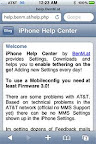
  2. Optional: If you want to generate your own mobileconfig with custom APN, username and password with Mobileconfig Generator, visithttp://help.benm.at/help.php.

    Enable Internet Tethering on iPhone 3.0

    In most case, just visit the next link directly, as the configuration files for most mobile carriers around the world have been prepared. If you’re following this link, click on Mobileconfigs.

    Turn On Interet Tethering Hack on iPhone OS 3.0

  3. Visit the following Mobileconfigs website:

    http://help.benm.at/tethering.php

  4. Select your country.

    Activate Internet Tethering on iPhone 3G S 3.0

  5. Select your mobile service provider.

    Activate and Enable Internet Tethering on iPhone version 3.0

  6. Tap Install to install new profile.

    Enable iPhone v3 Internet Tethering

  7. Select Install Now to download and install new profile.

    Enable iPhone v 3.0 Internet Tethering

  8. On iPhone interface, go to Settings -> General -> Network -> Internet Tethering.

    Internet Tethering Option on iPhone

  9. Set Internet Tethering to On.

    Activate and Enable Internet Tethering on iPhone

  10. If prompted that Bluetooth is off, select Turn on Bluetooth or USB Onlyaccording to your preference.

    Tether iPhone on USB or Bluetooth

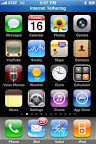
  11. Internet tethering is enabled, connect iPhone to PC computer via USB or Bluetooth to start connecting to Internet though iPhone as tethered Internet gateway modem, with typical mobile broadband connection speed , normally up to around 1.4 Mbps. Meanwhile, iPhone will glow blue too.

    iPhone on Internet Tethering Enabled

    Note: Tethering computer through USB to iPhone to access Internet is much easier. Normally, Windows or Mac system will automatically recognize the tethered iPhone, and create require network connection to take advantage of the shared Internet access via iPhone. For Bluetooth connection, other than usual pairing, user also has to select “Connect to Network” from the Bluetooth device option in order to access the Internet from desktop or notebook/laptop computer via tethered iPhone.

Actually, the hack can be performed manually by iPhone owner himself or herself. The profile download link above provides easiest and most convenient way to activate and enable Internet Tethering without hassle though. BenM.at is gathering all these publicly available information such as APN (access point name) and password for the iPhone for many network across the world, and create a XML based profile by using Apple’s iPhone Configuration Utility. The hosted iPhone tethering configuration profiles is pushed to the handsets of iPhone users who download the profile, and instant activates the tethering system free of charge.

After downloading and installing the new Internet tethering enabled profile, some users may report MMS and/or VVM (Visual Voicemail) problem, where MMS or Visual Voicemail stops working. To fix the MMS and VVM not working after enabling Internet tethering error, go to Settings -> General -> Reset ->Reset Network Settings. After the short reset, iPhone should be able to be used for MMS, Voicemail and Internet tethering.


Source: Internet

Apple iPhone OS v3.1 Beta Version SDK for Developers

iPhone OS 3.1 out for developers

eleasing its OS v3.0 to market, the company is already starting the new development of version OS v3.1 and the latest beta version of OS v3.1 readiness has been announced with invitation emails being sent to its developers to try on the latest SDK.


Some of the new features include improved version of video editing, which allows 3G S users to have option whether to save as an extra copy without overwriting the original copy automatically. Besides, the beta version supports MMS feature as well as the voice control function through Bluetooth enabled headset. Another useful feature that worth to be mentioned here include the capability to paste the number directly into the dialing box, besides allowing the auto translation of alphanumeric numbers for fast dialing mode whenever there is a need. That is not all, there is a fancy feature being added that triggers vibration effect when users try to arrange icons on main screen.

One thing to note here, the iPhone Dev team warned all the existing 3G iPhone users that were unlocked using ultrasn0w not to do any firmware update beyond 3.0 versions, which include this 3.1 OS beta version until a further tool release that allows firmware updates without affecting the original baseband.


Source: Internet

Get Chitika Premium
Loading...
Loading...

Get Chitika | Premium